

Retire Expenses
- Select Expenses & Requests from the menu bar
- Click on Expense Requests from the tab
- Toggle to Pending Retirement
- Click on the expense to be retired
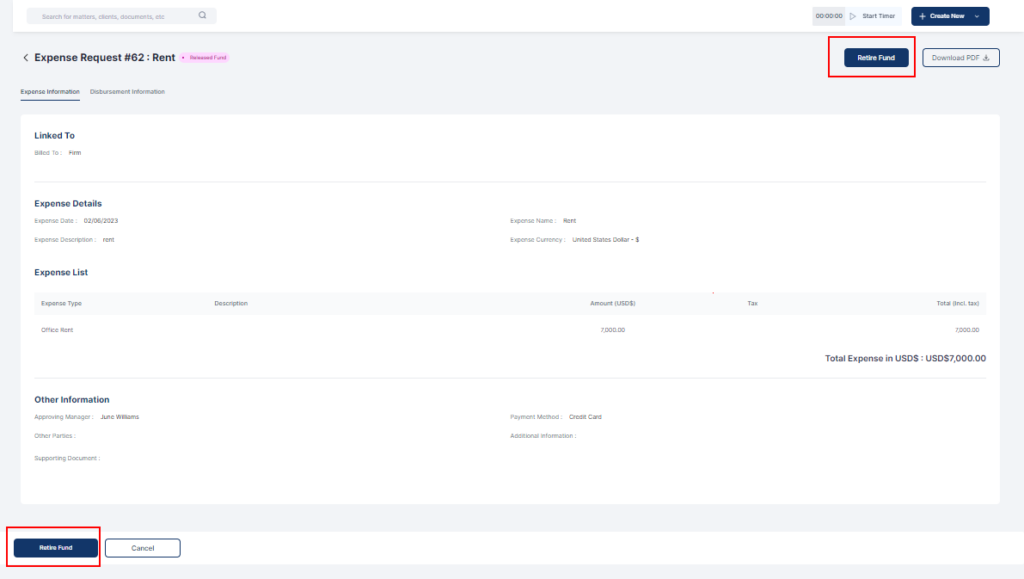
- Click Retire Fund
- Fill in the relevant information on the form
- Fill in the amount spent. The amount spent must be the same with the amount disbursed for expense retirement
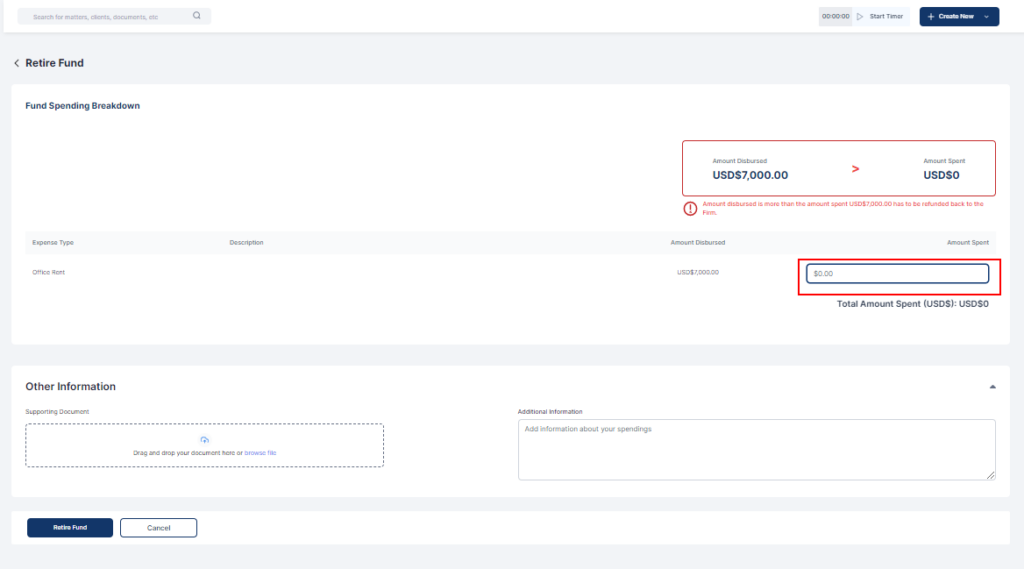
- Click Retire Fund
