Approve Expenses
- Select Expenses & Requests from the menu bar
- Click Expense Requests from the tab
- Select Approving Manager
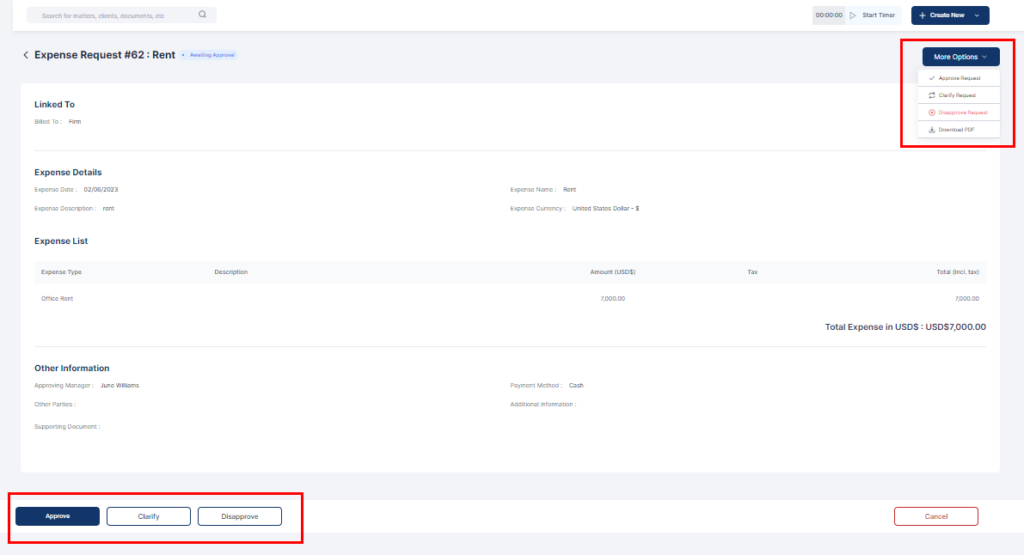
- Click on the expense request to view
- Click on the More Actions button or select from the bottom of the page to:
- Approve
- Clarify
- Disapprove
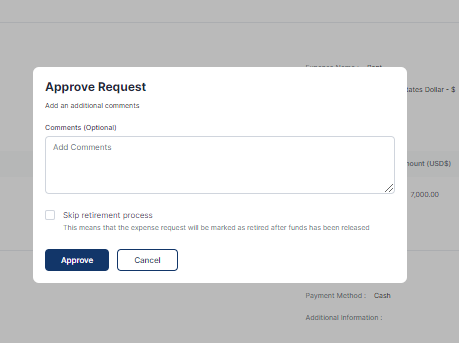
6. On the popup, add a comment (optional) and click on the Approve, clarify or Disapprove button depending on your choice.
- On the Approve Request popup, check the box if you want to skip the retirement process for the expense.