

Add Progress Updates
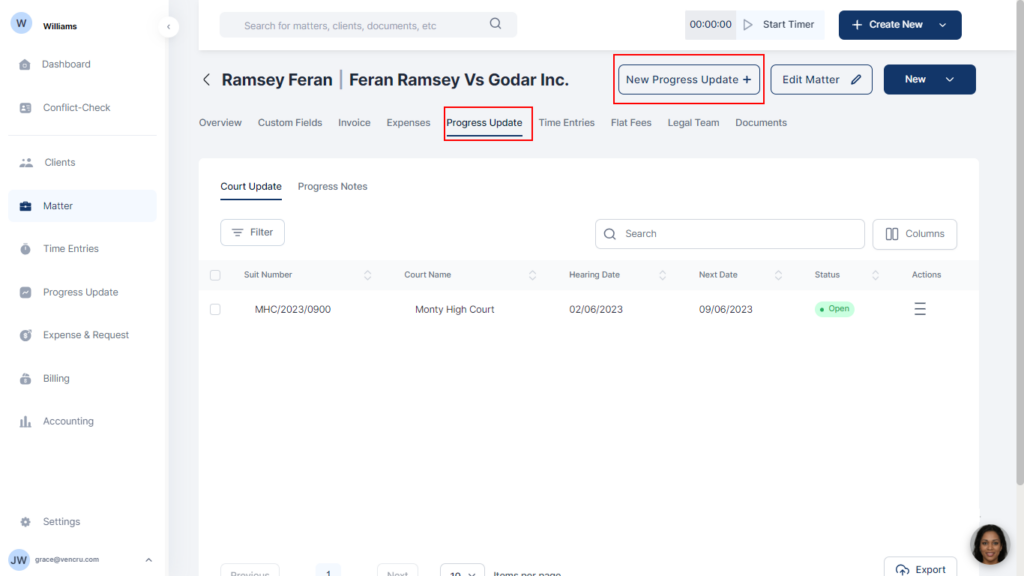
- Select Matters on the menu bar
- Click the matter you want to add a progress update to and select Progress Update from the horizontal tab
- Click New progress update at the top right
- Choose between Court Update and Progress Note
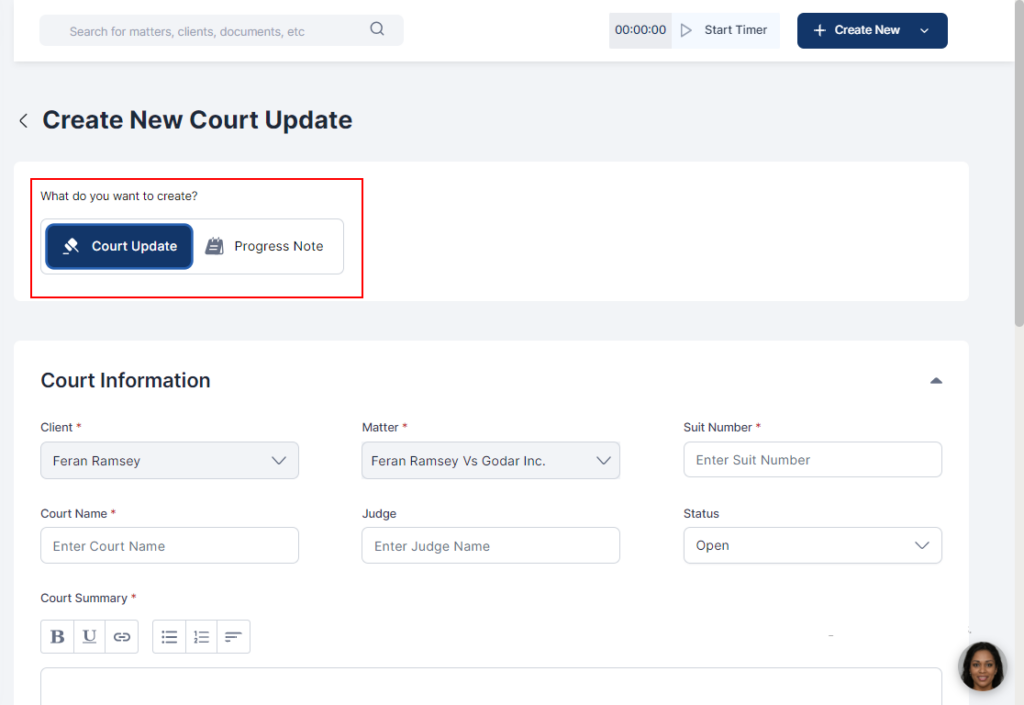
- Fill in relevant information
- Click Save or Save and Add Time Entry
