

Setup Client Portal (New Clients)
- Select Clients from the menu bar
- Click on Add clients
- Fill out all relevant fields, and include an email address because the client will have access to the portal through the email address entered.
- Scroll down to the Client Portal Settings and select Yes for client portal access
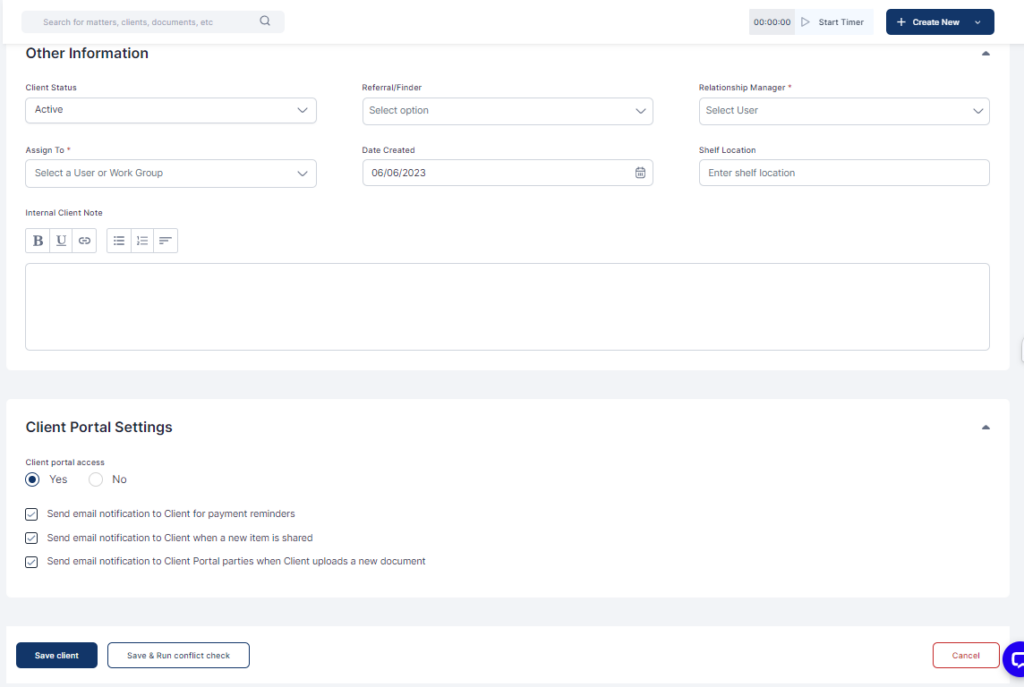
- Click on Save Client or Save & Run Conflict Check
- In their emails, the client will receive instructions on how to access the client portal.
