Import existing clients
Estimated reading: 1 minute
0 views
- 1. Select Clients from the menu bar
- 2. Click on Import client
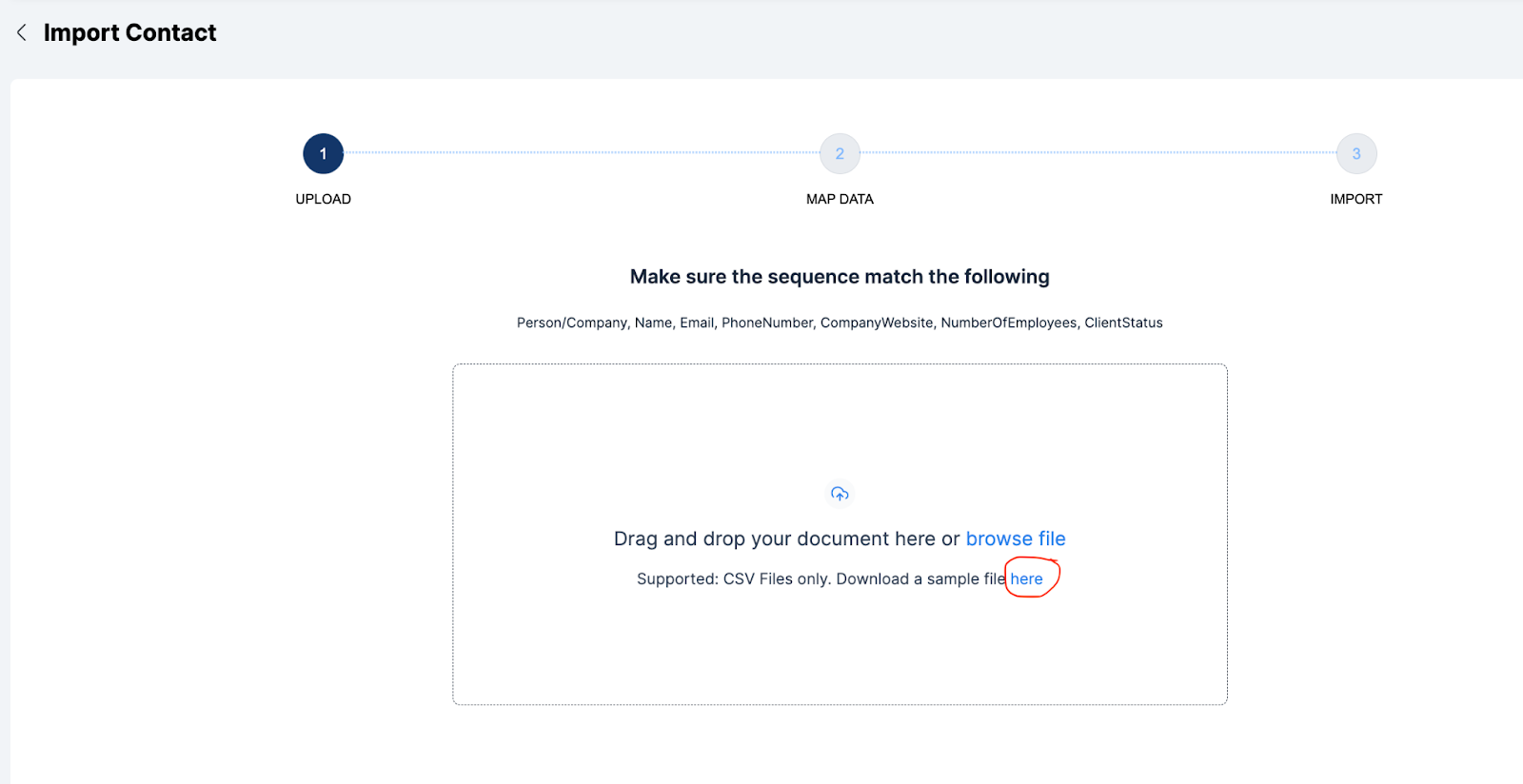
- Click download a sample file here to get the template document
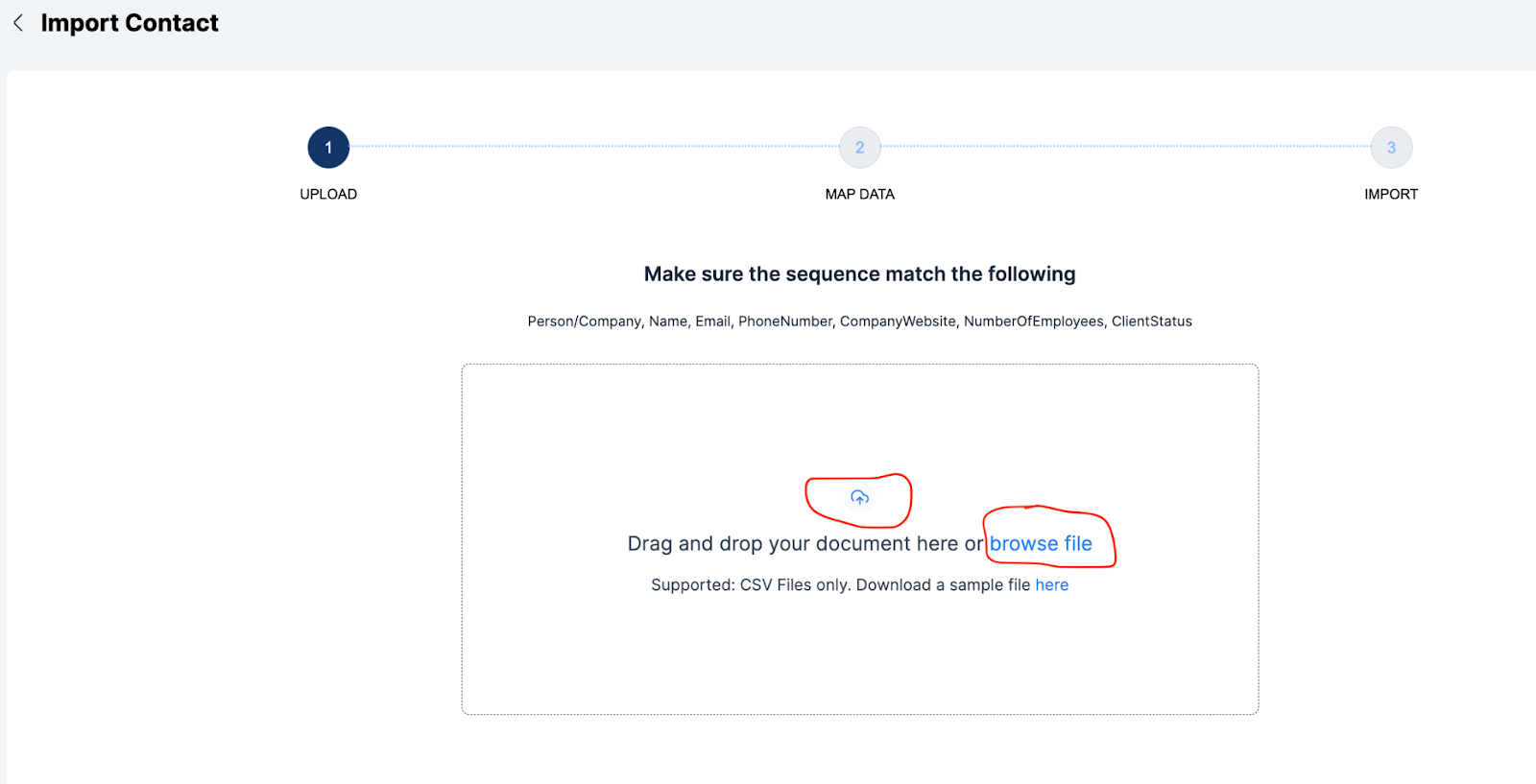
- Click on the upload button or browse file button to upload a document containing the client list.
- Click on next
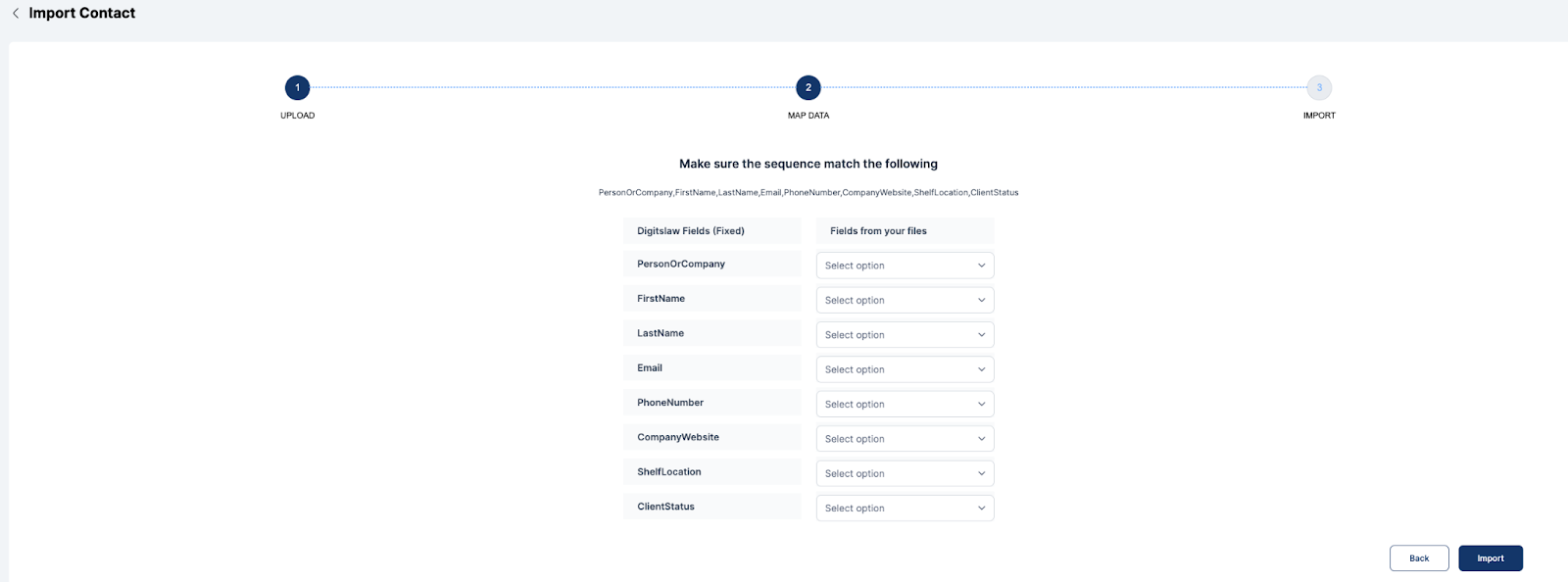
- Match fields from the imported file to fixed fields
- Click on Import
- Click on Go to client list or Download error list if required