

Flat Fee Types
- Click on Settings on the menu bar
- Select Business Settings
- Select List Items
- Select Flat Feee Types
- You can add a flat fee not listed by clicking Add Flat Fees
- Fill in the relevant information and click Save
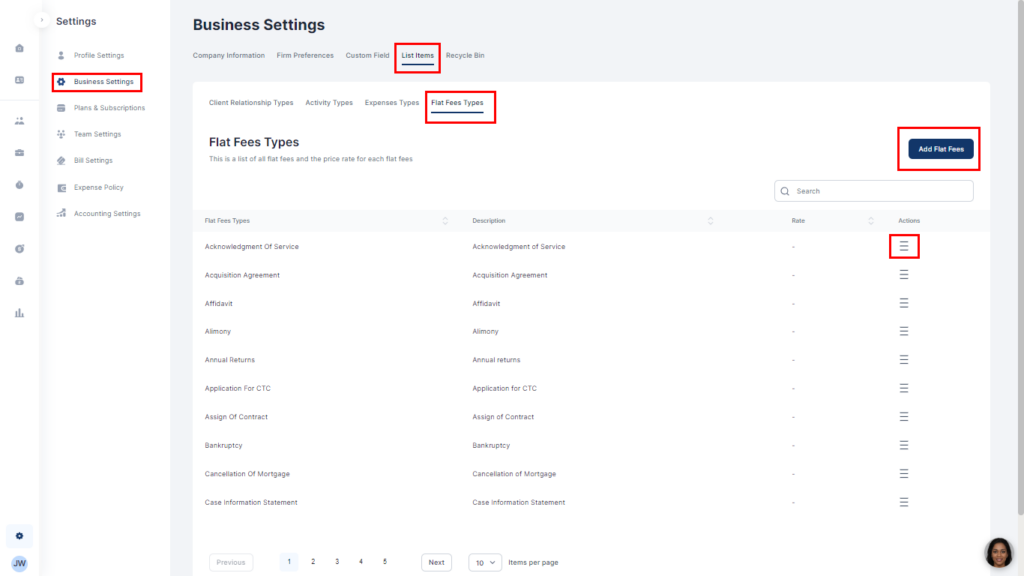
- Click on the three lines on each fee and select Edit to set the rate
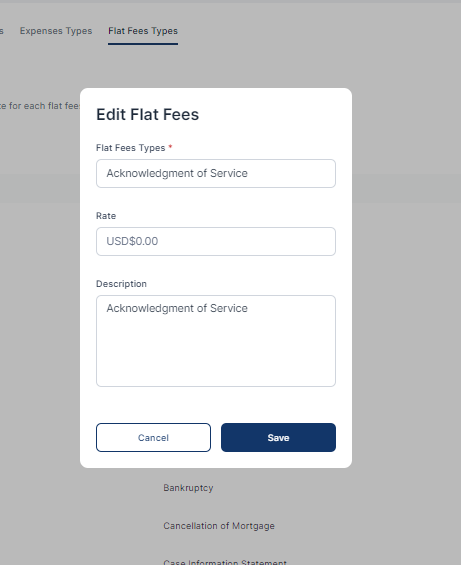
- Fill in the relevant information and click Save
