Trust Reports
Estimated reading: 1 minute
0 views
- Click on Accounting on the menu bar
- Select Reports
- Select Trust Account Report
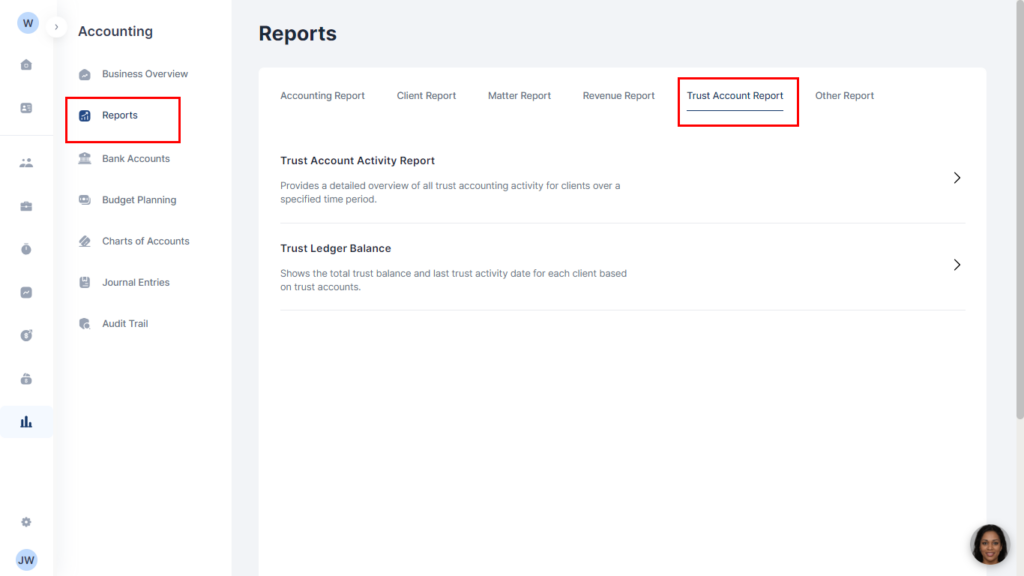
- Select from the available trust account reports:
- Trust Account Activity Report: This provides a detailed overview of all trust accounting activity for clients over a specified time period.
- Trust Ledger Balance: This shows the total trust balance and last trust activity date for each client based on trust accounts.
- To run a report, select or type in the name of the client you want to run a report on.
- Click on Run Report. The report for your specified client is displayed.
- Note that you can edit the date period you want a report by clicking on the arrow in the Date period box
- Click on Run Report to get your report for the selected period.
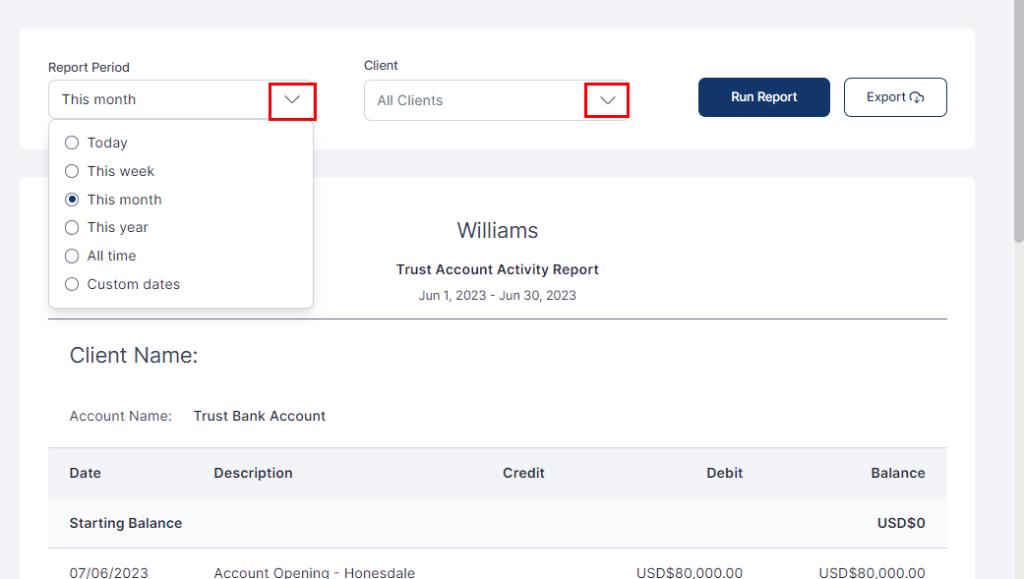
- You can export the report as a PDF or CSV by clicking the Export button and selecting which of the two formats you want.
- Click Export to download your file.


