

Trust Banks
Create Trust Bank
- Click on Accounting on the menu bar
- Select Bank Accounts
- Select the dropdown of Default Trust Account.
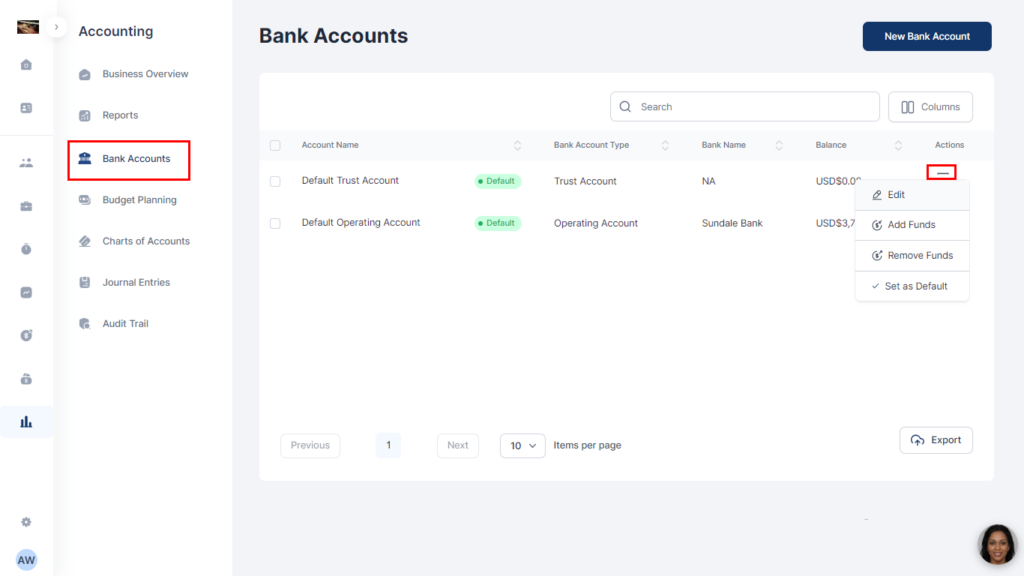
- Click on Edit and fill in the relevant details
- Click Save
Add funds
- Select the Trust Bank Account from the list
- Click on More Options
- Click on Add Funds from the dropdown
- Fill out all relevant information and click on Add Funds
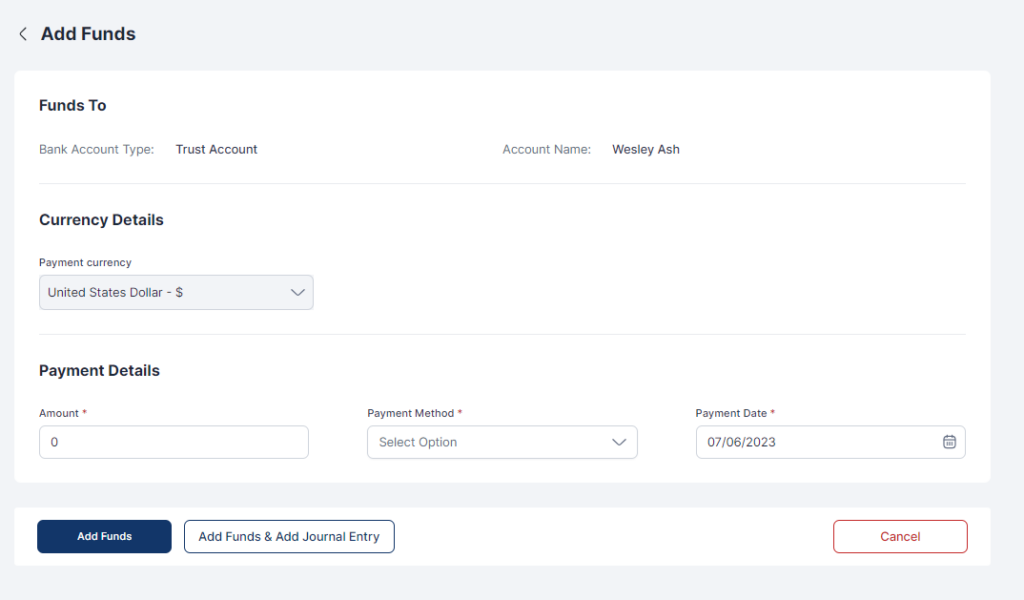
- Click Add Funds or Add Funds & Add Journal Entry
Remove Funds
- Select the Trust Bank Account from the list
- Click on More Options
- Click on Remove Funds from the dropdown
- Fill out all relevant information
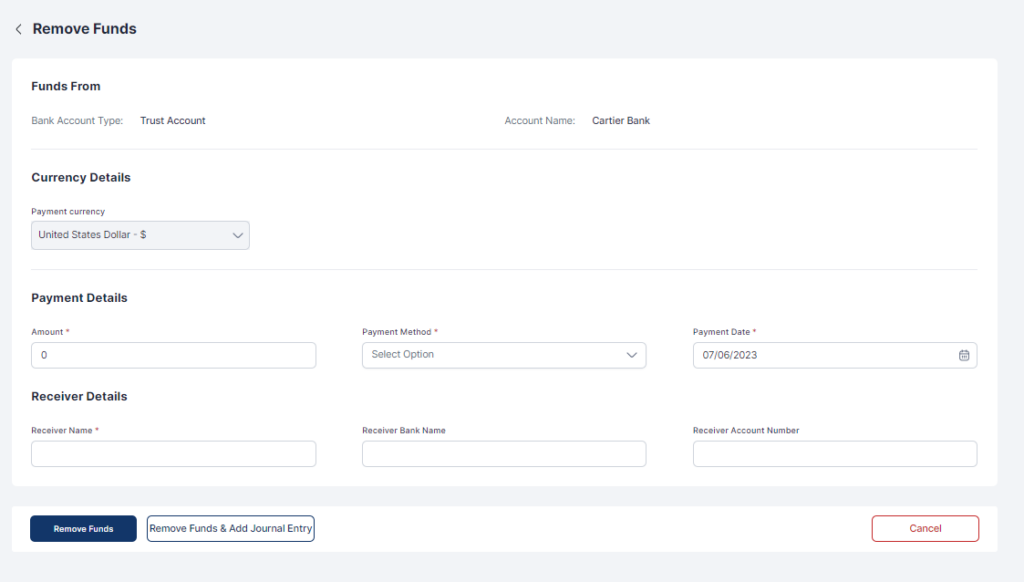
- Click Remove Funds or Remove Funds & Add Journal Entry
