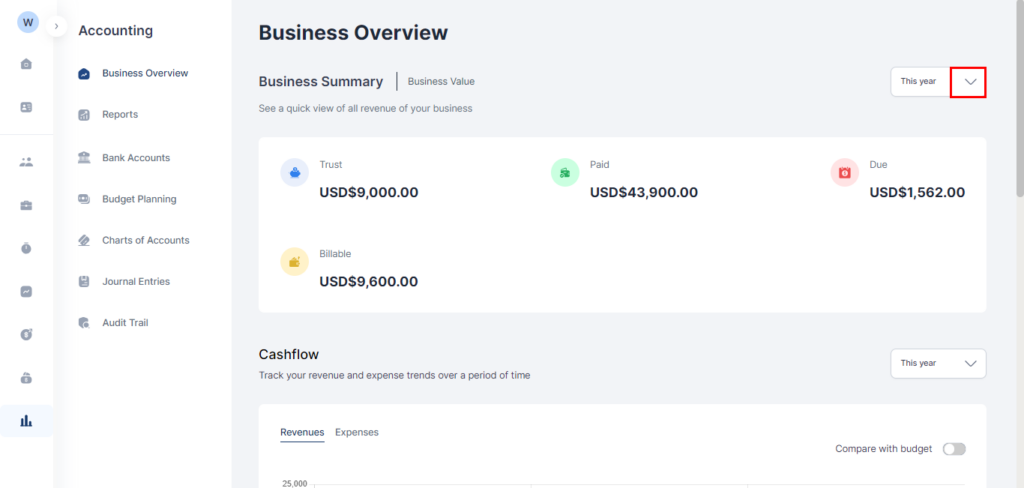
Business Overview
- Click Accounting from the menu bar
- Select Business Overview. On the page you can view your firms:
- Business Summary
- Cashflow
- Revenue Breakdown
- Practice Area Breakdown
Note: The period calculated can be edited by clicking on the arrow in the Date period box above each summary.
Business Summary Section
This shows the value Paid, Due, Billable and in Trust of your practice for a specified period.
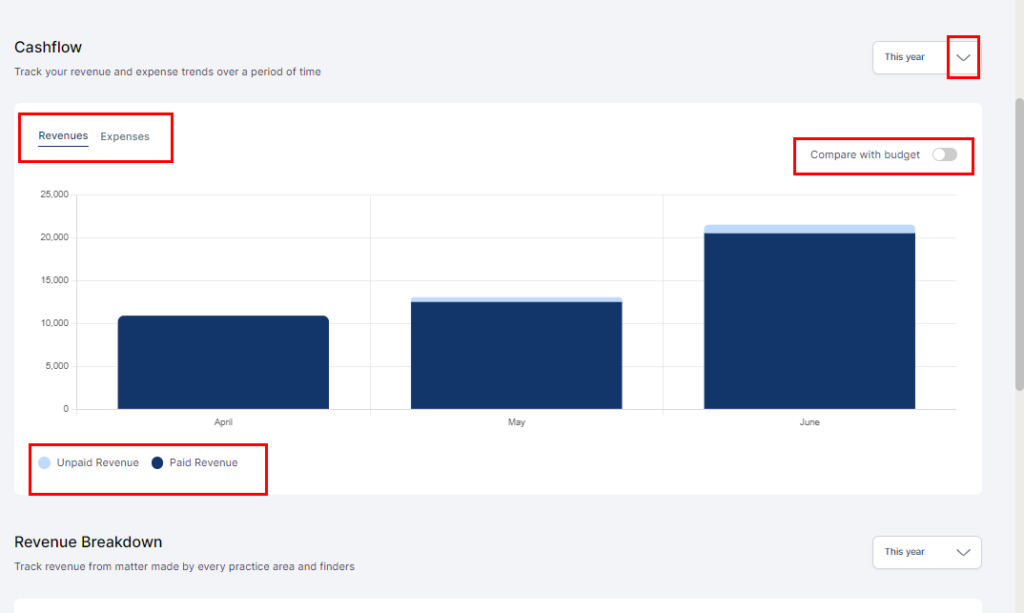
Cashflow
This shows a graphical representation of the growth of your Practice:
- Revenue and
- Expenses
It shows how much of your Expenses or Revenue are paid and unpaid for a specific period.
You can toggle between Revenue and Expenses to view their trends.
If you have a budget created, by turning on Compare with Goal, your projected expenses or revenue are displayed side by side with your actual revenue or goal.
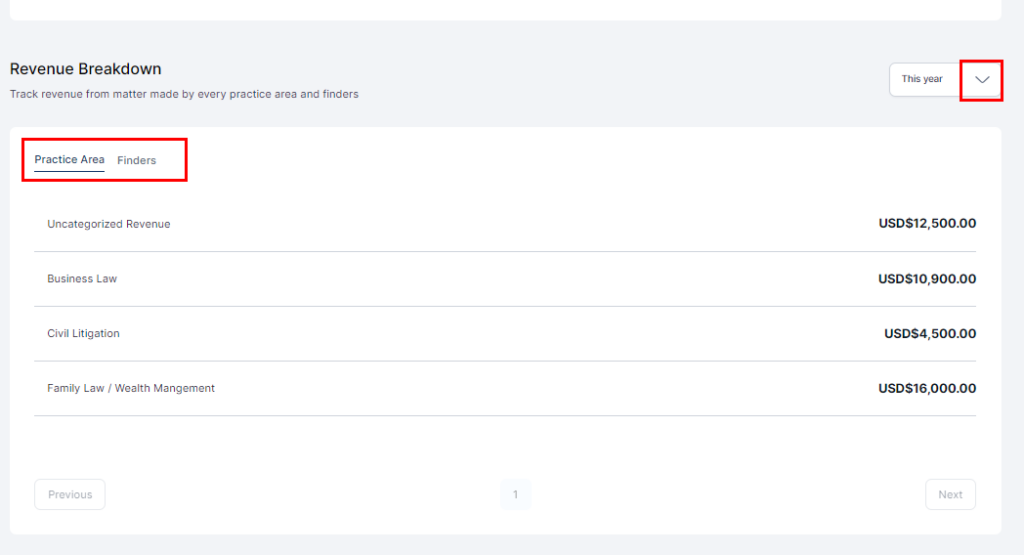
Revenue Breakdown
This shows your revenue generated from matters during a specific period by:
- Practice Area and
- Finders
Toggle between Practice Area and Finders to view insights.
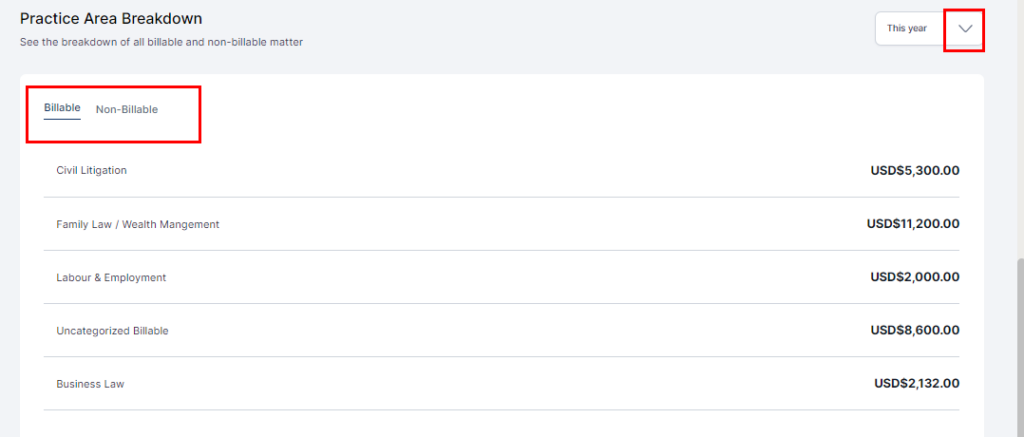
Practice Area Breakdown
This shows the breakdown of the value of all billable and non-billable matters during a specific period.
Toggle between Billable and Non-Billable to insights.