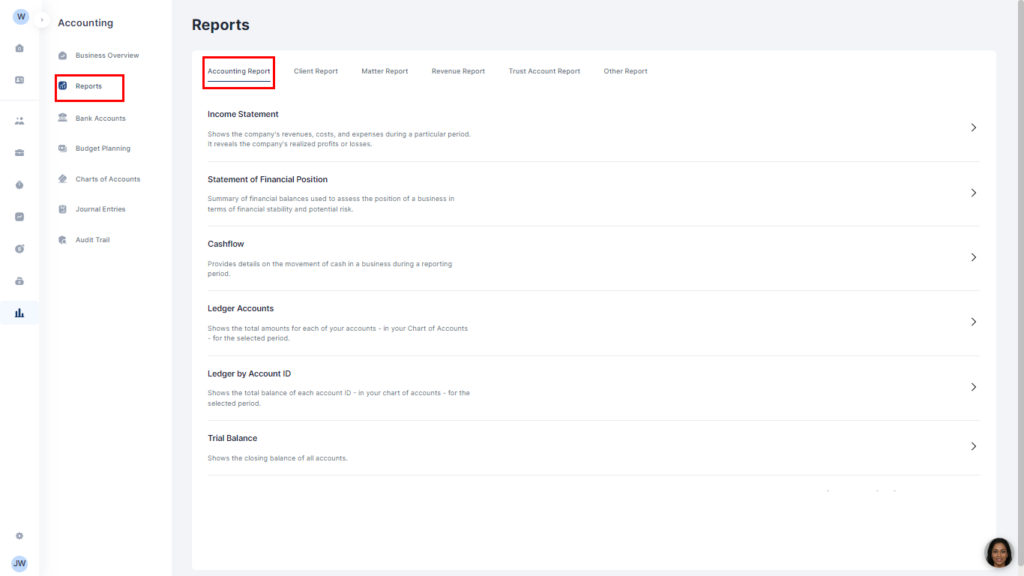
Income Statement: This shows the company’s revenues, costs, and expenses during a particular period. It reveals the company’s realized profits or losses.
Statement of Financial Position: This shows a summary of financial balances used to assess the position of a business in terms of financial stability and potential risk.
Cashflow: This provides details on the movement of cash in a business during a reporting period.
Ledger Accounts: This shows the total amounts for each of your accounts – in your Chart of Accounts – for the selected period.
Ledger by Account ID: This shows the total balance of each account ID – in your chart of accounts – for the selected period.
Trial Balance: This shows the closing balance of all accounts.
To run a report, select the report
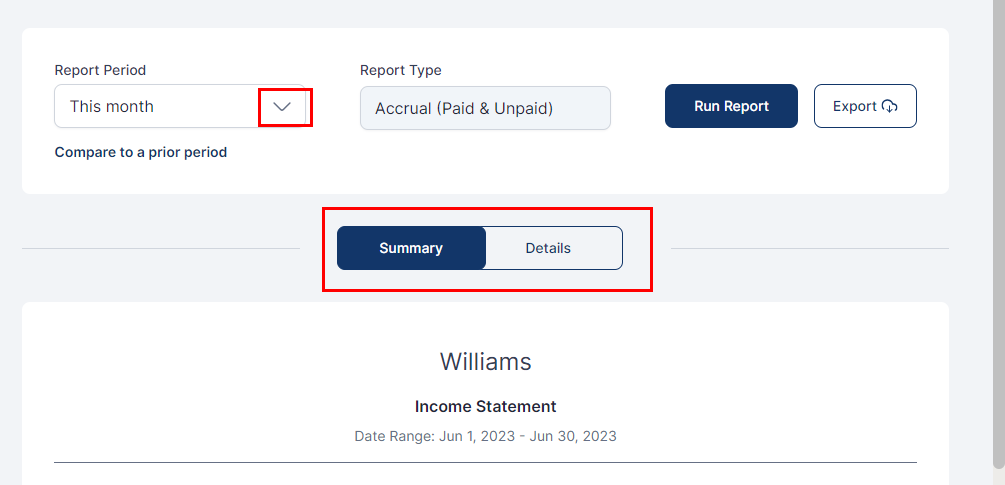
Note that you can edit the date period on which you want a report by clicking on the arrow in the Date period box
Click on Run Report to get your report for the selected period.
Toggle between Summary and Details to view.
You can export the report as a PDF or CSV by clicking the Export button and selecting which of the two formats you want.